Emergency contacts
Have the emergency contact ready when something happens
Who do you call if an employee gets hurt or falls ill at work? In Weekplace, every employee has an emergency contact with name, phone number and relationship – and the employee keeps it up to date.
No payment to get started – every feature and every employee
Included in Weekplace · €199 one-time · No subscription
What matters most when it’s urgent
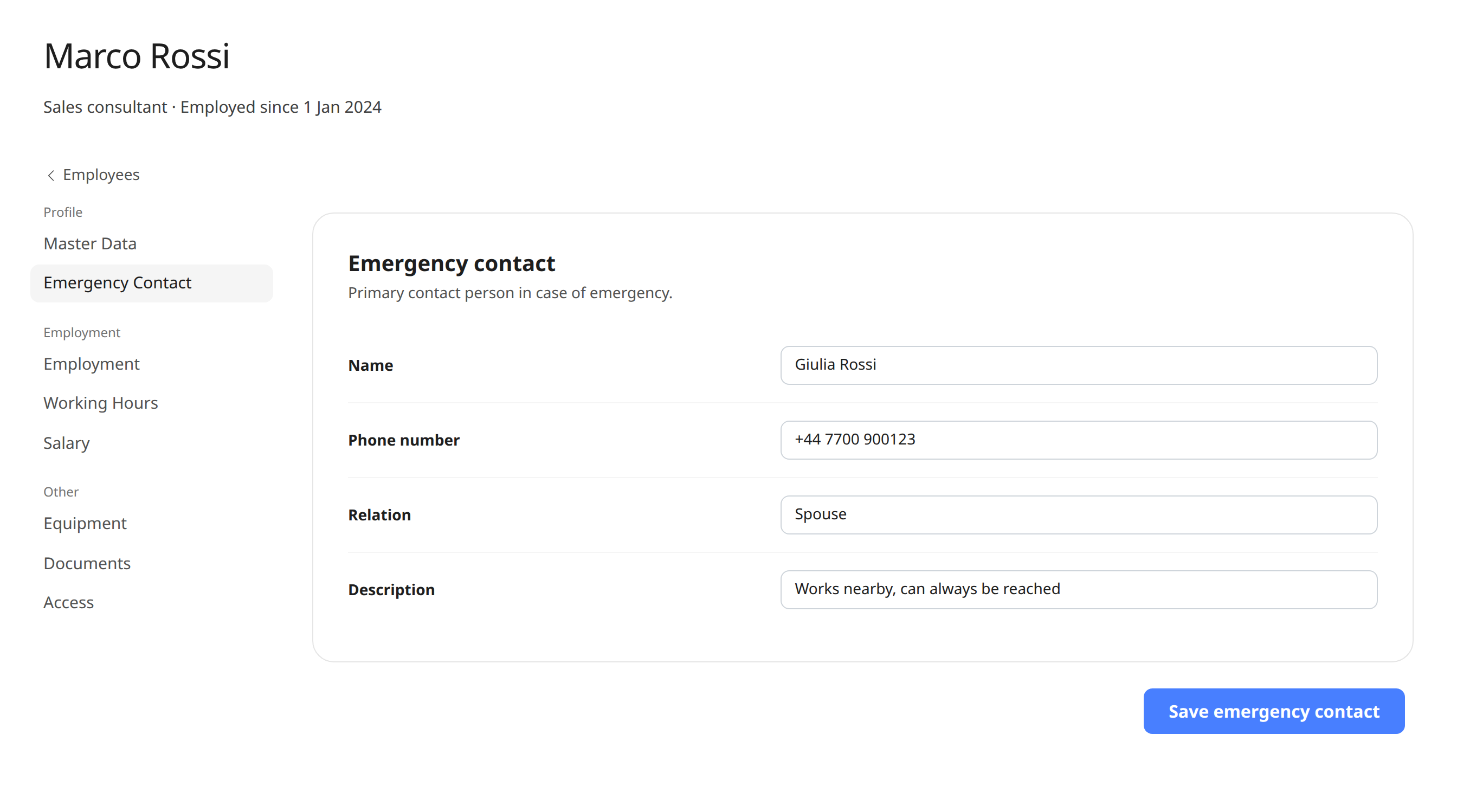
The emergency contact is part of employee management in Weekplace, so it sits in the same place as the rest of the information about the employee.
Name and phone number
For each employee, you see who to contact and which number to call.
Relationship
See right away whether the emergency contact is a spouse, a parent, a sister or a friend.
Special information
A description for anything good to know, such as when the contact person is easiest to reach.
Employees keep it up to date
Employees change their emergency contact themselves under “My profile”, so the information doesn’t go out of date.
Only the right people can see it
The emergency contact can only be seen by the employee and the company’s owners and admins – not by colleagues.
Part of the employee file
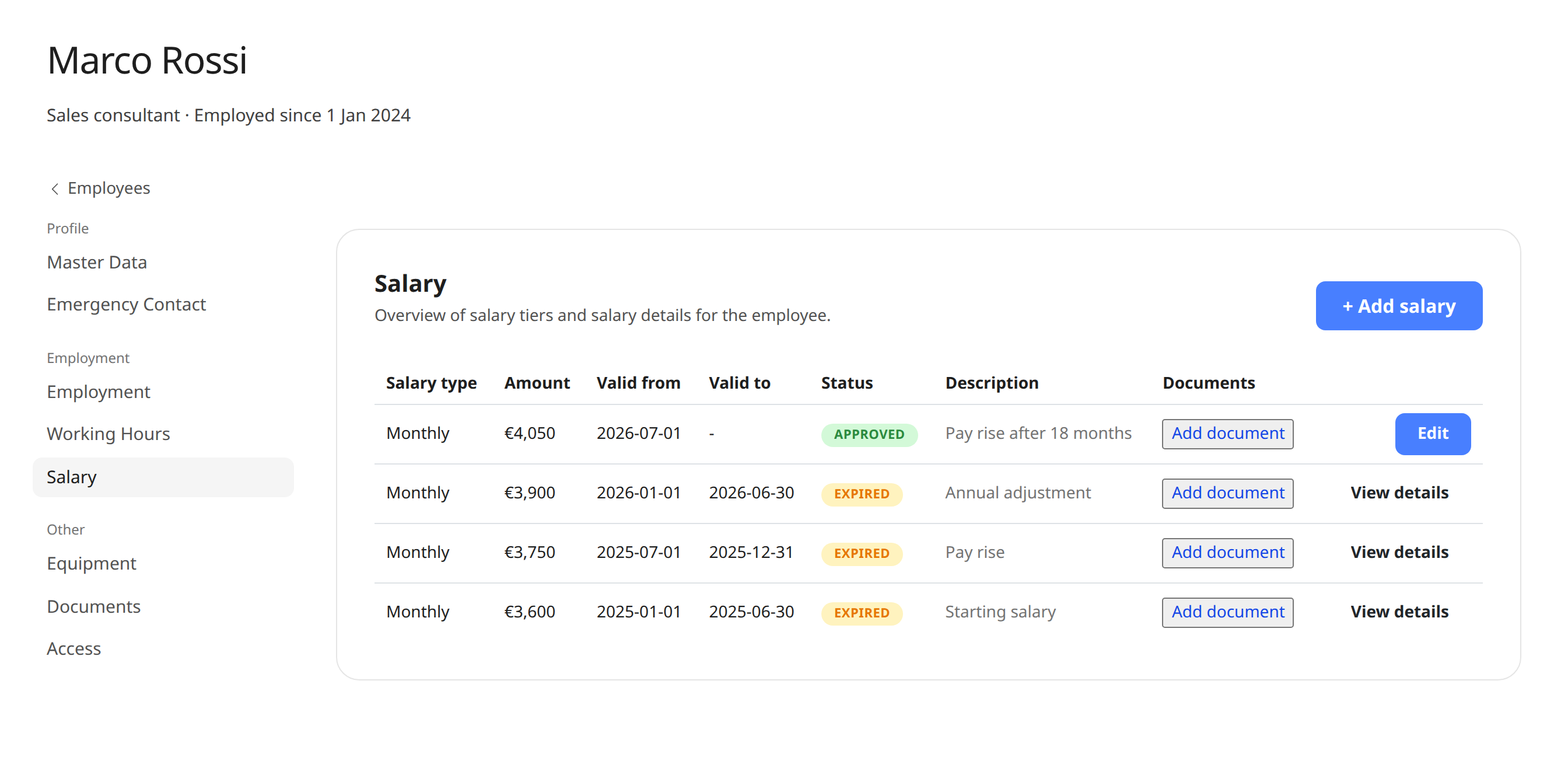
The emergency contact is on the employee together with personal details, address, employment, equipment and pay.
Everything in one place
One app for time, absence, planning and HR
Replace spreadsheets, paper forms and scattered systems. Click through the features below to see how it works.
Time tracking the EU requires
Stop worrying about the EU rules on recording working time. Let Weekplace do the heavy lifting automatically from each employee's standard hours, or let employees check in and out themselves.
My calendar
Try it – click aroundWeek 43
37 hours
Hours are registered automatically from the standard working week. Employees only adjust when something changes.
- Automatic or manual time tracking
- Meets the EU working time rules
- Approval by managers when needed
Read more about Weekplace as a time tracking app and HR app.
Employees keep it up to date themselves
Emergency contacts go out of date fast: people move, change number or get a new partner. That’s why employees can correct their emergency contact themselves under “My profile”.
You can also fill in or correct the emergency contact for an employee yourself, for example when a new employee starts.
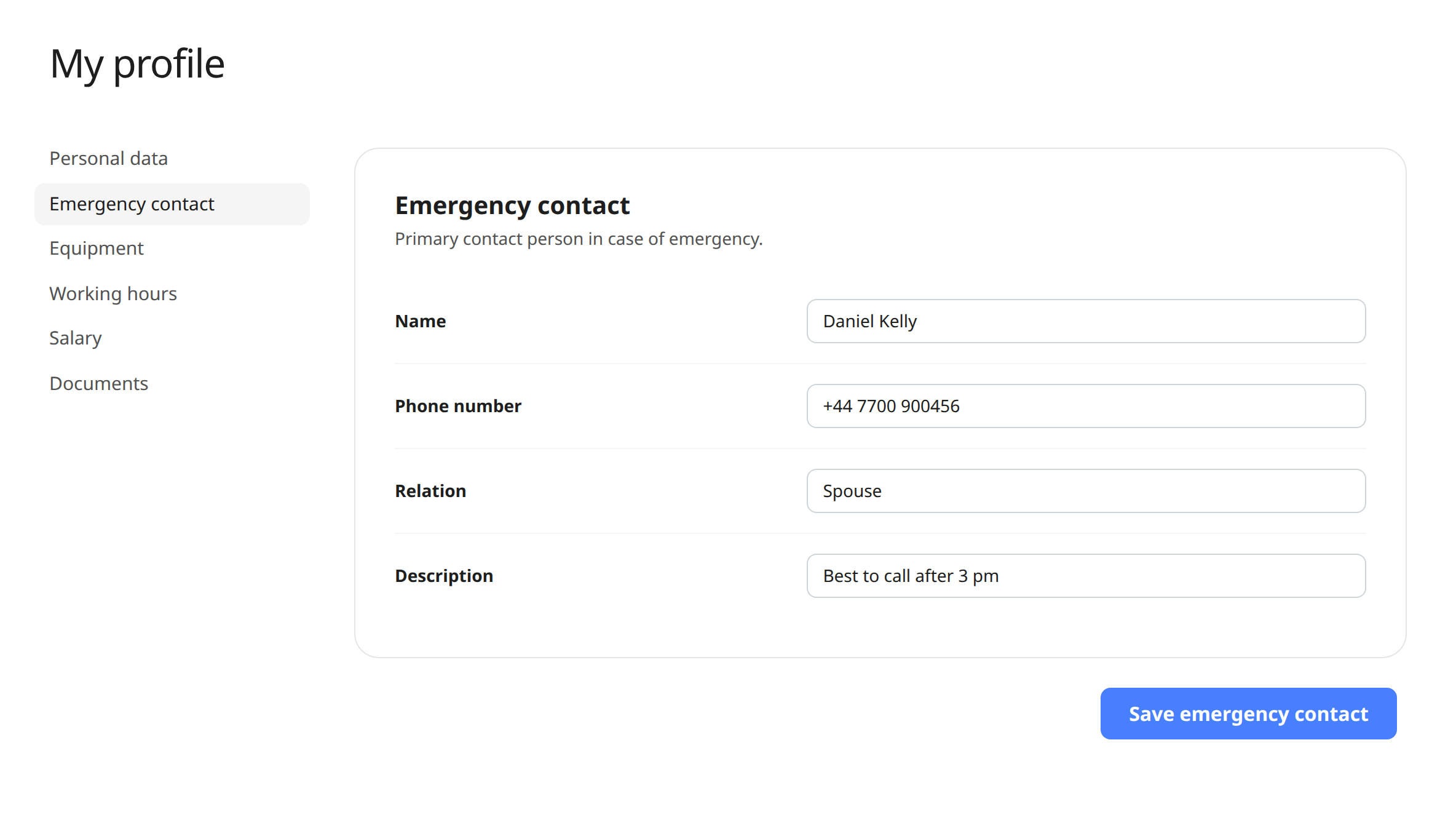
Part of the employee file
The emergency contact is on the employee together with personal details, address, employment, pay, equipment and documents. One place to look – instead of a sheet in a folder.
Only the employee and the company’s owners and admins can see the emergency contact.
How it works
- 1
Add your employees
Add your employees to Weekplace with their name and email, and they can log in.
- 2
Employees fill in their emergency contact
Each employee enters their emergency contact under “My profile” – or you fill it in for them.
- 3
Find it when it matters
Open the employee under Employees and choose Emergency contact in the menu. Name, number and relationship are ready.
Emergency contacts and employee data in the same system
The emergency contact is part of employee management in Weekplace, where you also have personal details, employment, pay, equipment and documents – and time tracking.
Read more about employee management and time tracking.
Included in Weekplace
€199
one-time · excl. VAT
- Emergency contacts, employee data, time tracking, vacation and absence
- Unlimited employees
- No subscription – access forever
No payment to get started
Frequently asked questions about emergency contacts
What does it cost?
Emergency contacts are part of Weekplace. You pay €199 excl. VAT once and get the whole system: employee data, time tracking, shift scheduling, vacation and absence. There is no subscription and no price per employee.
What information is stored about the emergency contact?
Name and phone number, and if the employee wants, their relationship to the employee and a short description with special information.
Who can see the emergency contact?
The employee and the company’s owners and admins. Colleagues and department managers can’t see it.
Can employees keep it up to date themselves?
Yes. Employees change their emergency contact under “My profile” when they move, change number or get a new contact person.
Can an employee have several emergency contacts?
Each employee has one emergency contact in Weekplace. If more people should be contacted, they can be mentioned in the description.
Can I find the emergency contact on my phone?
Yes. Weekplace works in the browser on phone, tablet and computer, so you can look up the emergency contact even when you’re away from your computer.
See how to edit employee profile details, or write to us at support@weekplace.com. Or read our guide: Workplace emergency contacts.