Time tracking
Employee time tracking that runs itself
In the EU, employers must have a system for recording their employees’ daily working time. With Weekplace it happens automatically from fixed working hours, or employees clock in and out themselves. You get the overview, and you can say goodbye to the spreadsheet.
No payment to get started – every feature and every employee
Included in Weekplace · €199 one-time · No subscription
Time tracking software with everything a small business needs
The time tracking is made for small and medium-sized businesses where some people have fixed hours and others work shifts.
Automatic time tracking
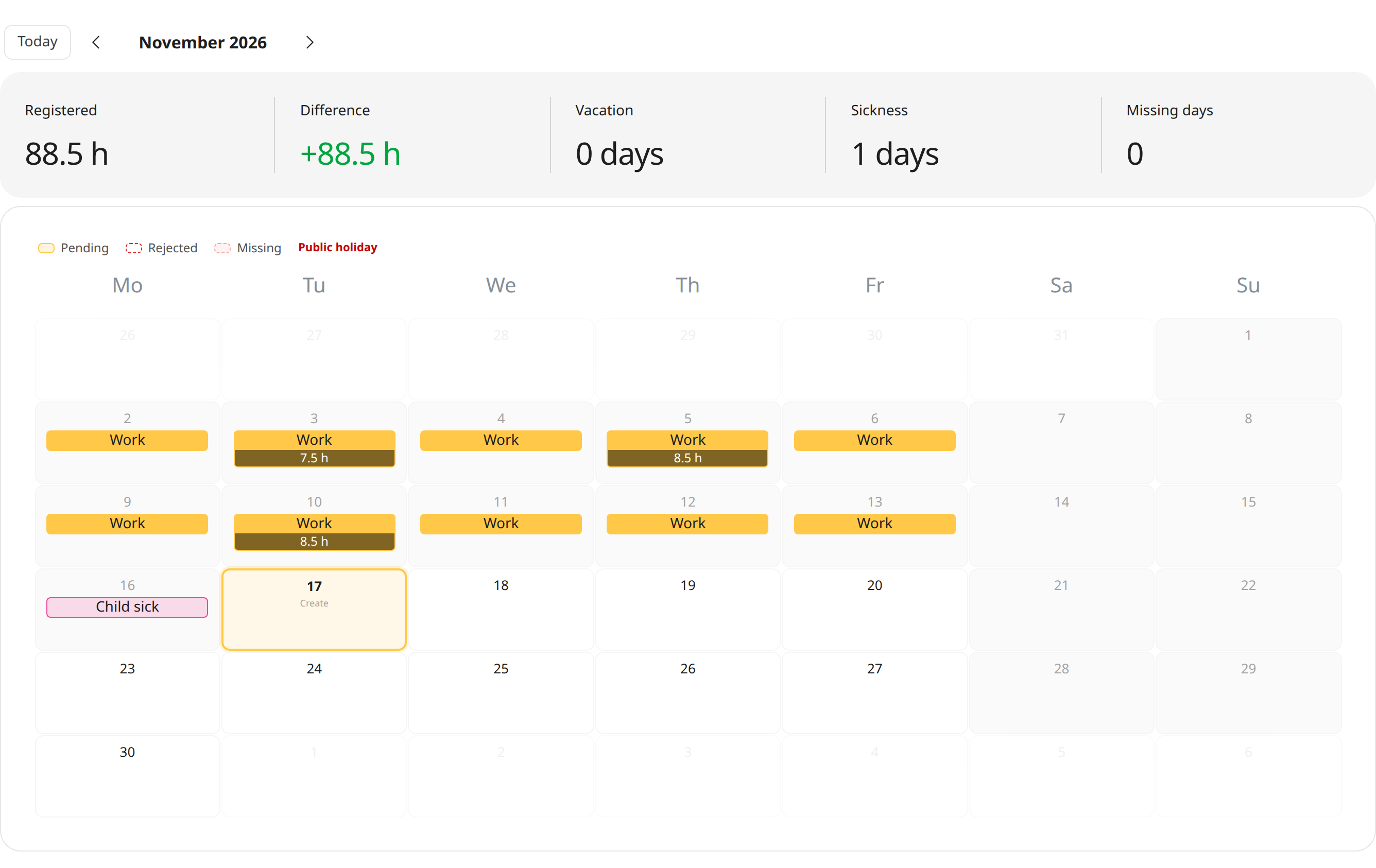
If an employee has fixed working hours, Weekplace records their working time every night from their weekly schedule. The employee only corrects the days that were different.
Clock in and out
Employees start a registration when they arrive and stop it when they leave. The working time is saved with its start and end time.
Come & Go screen
Put a screen by the entrance where employees clock in and out with their own PIN code.
Vacation, sickness and absence
Working time, vacation, sick leave, a child’s sick day and other absence are all recorded in the same place. Vacation can also be recorded ahead of time.
Projects and comments
Link working time to a project and add a comment to the day, e.g. where the work was done.
Approval when you need it
Turn on approval, and admins and department managers approve or reject registrations – with a reason if something needs fixing.
Everything in one place
One app for time, absence, planning and HR
Replace spreadsheets, paper forms and scattered systems. Click through the features below to see how it works.
Time tracking the EU requires
Stop worrying about the EU rules on recording working time. Let Weekplace do the heavy lifting automatically from each employee's standard hours, or let employees check in and out themselves.
My calendar
Try it – click aroundWeek 43
37 hours
Hours are registered automatically from the standard working week. Employees only adjust when something changes.
- Automatic or manual time tracking
- Meets the EU working time rules
- Approval by managers when needed
Read more about Weekplace as a time tracking app and HR app.
Record a day in seconds
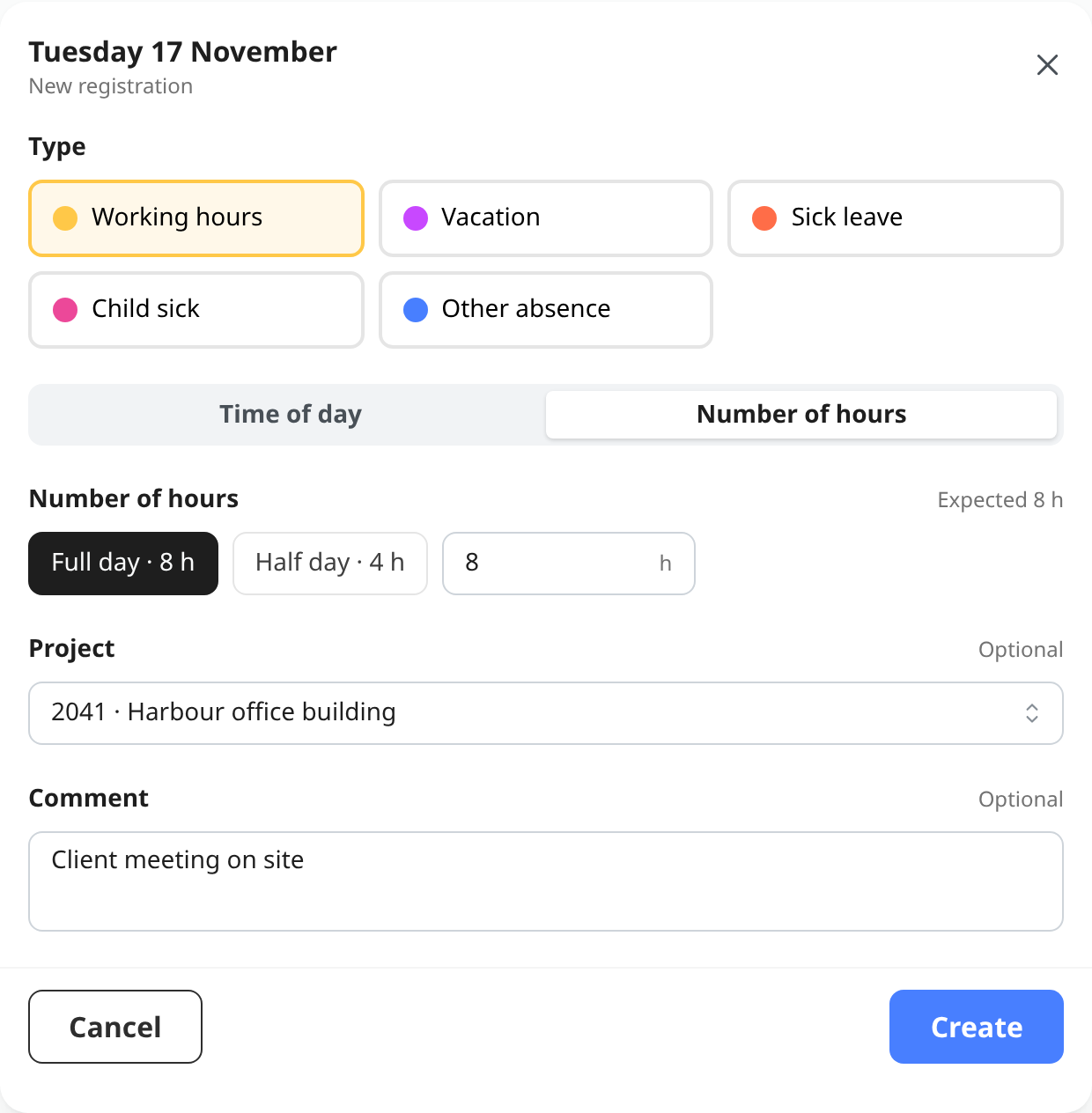
Choose the type and press “Full day” or “Half day” based on the expected working time – or type in the number of hours. If the employee has a shift that day, the shift’s times can be picked with one click.
Working time can be linked to a project and given a comment. If several days need recording at once, e.g. a week of vacation, bulk registration does it in one go.
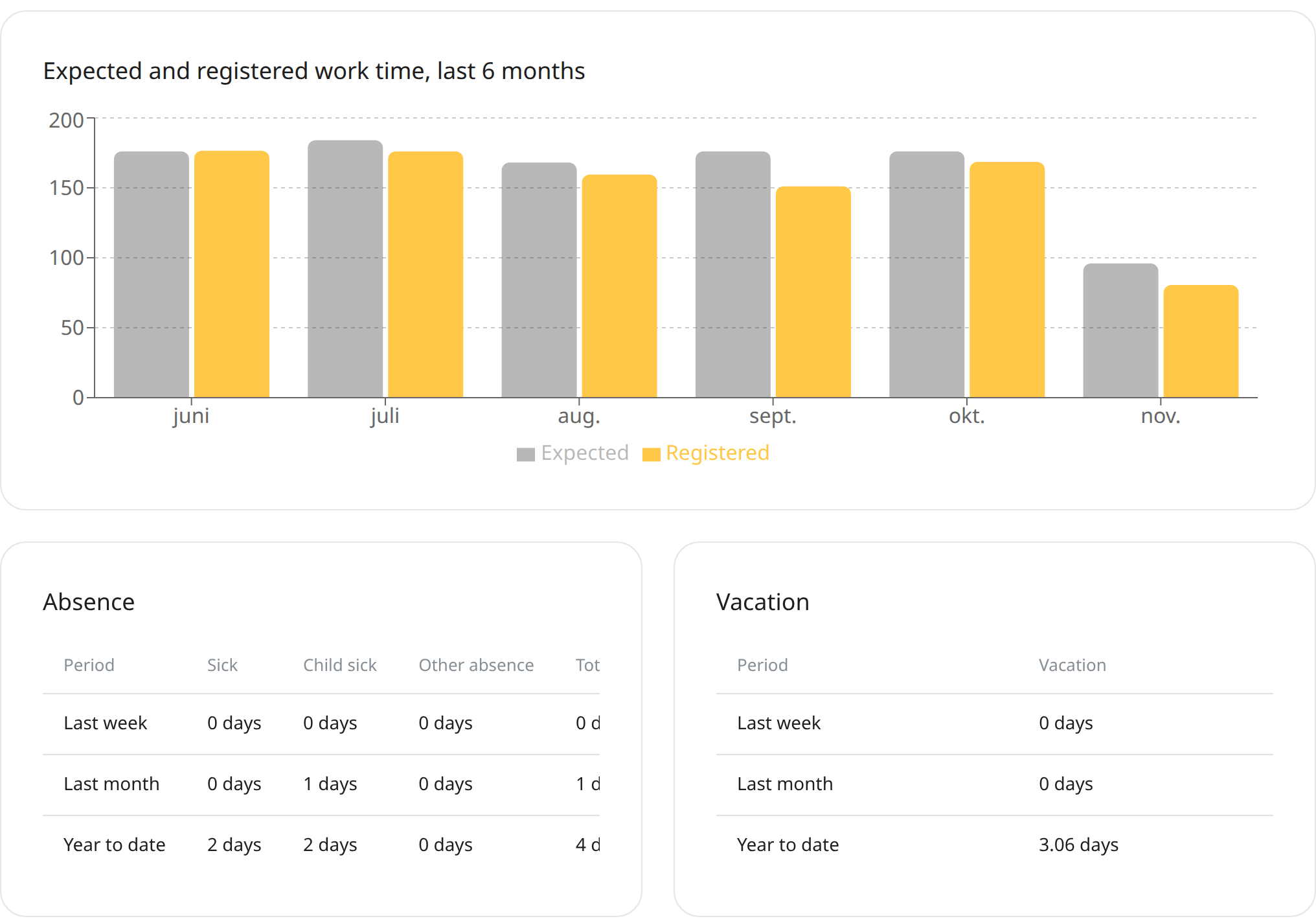
An overview of hours, vacation and absence
For each employee you see expected and recorded working time for the last week, month and year, and how absence and vacation add up.
On the front page, the weekly overview shows every employee’s registrations and marks the days where a registration is missing. Reports can be downloaded as a CSV file for payroll and bookkeeping.
How it works
- 1
Set the working hours
Add your employees with their hours per weekday, and choose automatic or manual time tracking for each of them.
- 2
Employees record their time
Automatically every night, by clocking in and out, or directly in the calendar – on a computer, tablet or phone.
- 3
You have the overview
See the week’s registrations for everyone, approve them if you use approval, and download a report as a CSV file.
Time tracking, shift scheduling and vacation in one system
If you plan shifts in Weekplace, the shift shows in the employee’s calendar, and the hours are suggested when the day is recorded. Vacation and absence are recorded in the same place and collected in a shared vacation overview.
Read more about scheduling and time tracking and employee management. Employees can also use Weekplace as a time tracking app on their phone.
Included in Weekplace
€199
one-time · excl. VAT
- Time tracking, shift scheduling, vacation and absence
- Unlimited employees
- No subscription – access forever
No payment to get started
Frequently asked questions about time tracking
Is time tracking required by law?
In the EU, yes. In 2019 the Court of Justice of the EU ruled (case C-55/18) that employers must have a system that records each worker’s daily working time. Each country puts this into its own law, at its own pace, so check the rules in your country. Weekplace gives you a simple system for exactly that, where employees can see their own registrations.
What does the time tracking cost?
Time tracking is part of Weekplace. You pay €199 excl. VAT once and get the whole system: time tracking, shift scheduling, vacation and absence, and employee records. There is no subscription and no price per employee.
Do employees have to record their time every day?
Not if they have fixed working hours. With automatic time tracking, Weekplace records the working time every night from the weekly schedule, unless something is already recorded that day. The employee only corrects the days that were different.
Can employees record their time on their phone?
Yes. Weekplace works in the browser on phone, tablet and computer. Employees can record time in the calendar or clock in and out with a single click.
Can we use the registrations for payroll?
Yes. You can download the registrations as a CSV file that opens in Excel and can be used for payroll and bookkeeping. The report can be downloaded for the whole company, for a project or for a single employee.
Do registrations have to be approved?
Only if you want them to be. If you turn on approval, admins and department managers approve the registrations. You can also have working time approved automatically, so only absence needs manual approval.
Get started with automatic time tracking and approvals, or write to us at support@weekplace.com. Or read our guide: Time recording requirements in the EU.